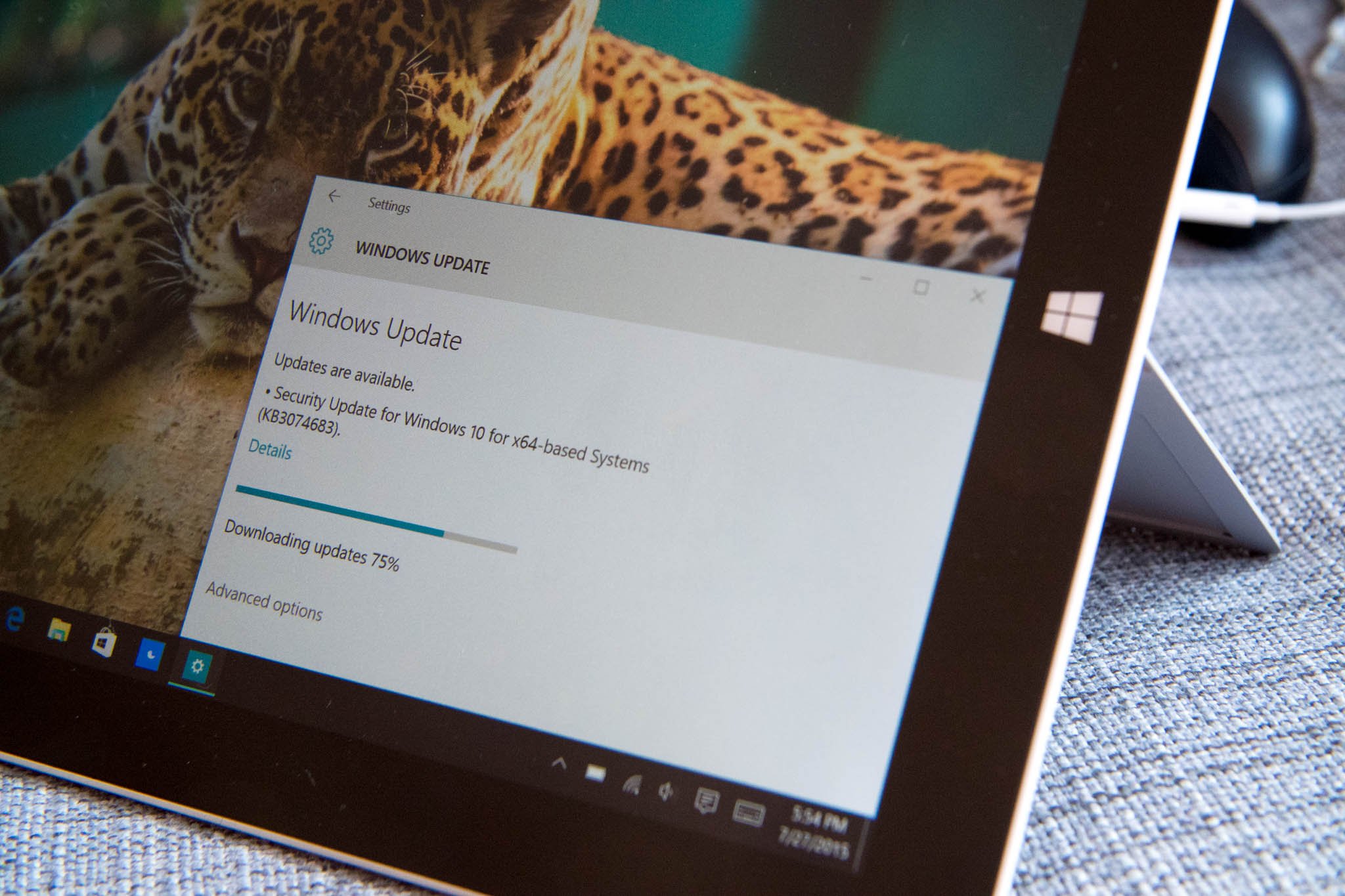
Microsoft has opened the floodgates for Windows 10, making the upgrade available in 190 countries around the globe. If you've already reserved the upgrade on Windows 7 and Windows 8/8.1 and are yet to see the update, there's an easy fix that allows you to manually initiate the download process.
Before you begin, ensure Windows Update can download and install updates automatically. Not sure how to do that? Here's how:

Turn automatic updating on or off

  1. Open Windows Update by swiping in from the right edge of the screen (or, if you're using a mouse, pointing to the lower-right corner of the screen and moving the mouse pointer up), tapping or clicking Settings, tapping or clicking Change PC settings, and then tapping or clicking Update and recovery.
  2. Tap or click Choose how updates get installed.
  3. Under Important updates, choose the option that you want.
  4. Under Recommended updates, select the Give me recommended updates the same way I receive important updates check box.
  5. Under Microsoft Update, select the Give me updates for other Microsoft products when I update Windows check box, and then tap or click Apply.
Once automatic updates are enabled, launch Command Prompt in Administrator mode and enter the following command: wuauclt.exe/updatenow. That should trigger the Windows 10 download.

How to start a command prompt as an administrator:

  1. Click Start, click All Programs, and then click Accessories.
  2. Right-click Command Prompt, and then click Run as administrator.
  3. If the User Account Control dialog box appears, confirm that the action it displays is what you want, and then click Continue.
If you're having any issues, be sure to hit up Windows Central's forums. This discussion is dedicated to force updating.

source : windowscentral
LAMP Stands for Linux,Apache,MySQL and PHP. Most of the websites works with the above combination. if you think the above combination will be only on servers where the hosting are made, that is wrong you can made on your own PC which has Linux. The installtion of LAMP on Ubuntu is simple quiet when compared to other Linux environment.

In other Linux environment you need to install all the packages separately. But in Ubuntu you can install in one command. Here i am listing the steps to install LAMP in one command.

Installing Linux:

You can find the tutorial about installing Ubuntu 14.10 here.

Installing AMP (Apache,MySQL and PHP).


Copy and Paste the line in the Terminal.

$ sudo apt-get install lamp-server^
[sudo] password for raj:

Once entered the command, it will ask you to enter the password for the user. it will search the required package for LAMP server, in the end it will prompt you to confirm the downloading and installation of packages. Type Y and then press enter.
After the installation of the all packages it will prompt you to configure the MySQL root password. Type new root password for MySQL in the Next Screen.
Repeat the root password.

After that it will continue to install the other packages that are required for AMP.

Testing Apache:


To make sure everything installed correctly we will now test Apache to ensure it is working properly, The default location of the documentroot is /var/www/html, you can place your web pages for your website.

1. Before testing Apache, restart the Apache server.

$ sudo /etc/init.d/apache2 restart

2. Open up any web browser and then enter the following into the web address:

http://localhost/ or http://127.0.0.1

You will get the following page, it means the Apache is working fine. Apache’s default document root is /var/www/html on Ubuntu, the configuration file is /etc/apache2/apache2.conf. Additional configuration files are stored in the /etc/apache2/*-available directory.

Testing PHP:

For testing the PHP, Place one PHP file on to the default directory of the Apache.

Step 1. In the terminal copy/paste the following line:

$ sudo nano /var/www/html/phpinfo.php

This will open up a file called phpinfo.php.
Step 2. Copy/Paste this line into the phpinfo file:

<?php phpinfo(); ?>

Step 3. Now open you’re web browser and type the following into the web address:

http://localhost/phpinfo.php or http://your-ip-address/phpinfo.php

Configuring MySQL:

This is optional, MySQL will normally listen on the localhost only. if you want it to listen on the other IP,  you will need to edit the /etc/mysql/my.cnf file.

$ sudo nano /etc/mysql/my.cnf

Change the following line and put your ip on the place of 127.0.0.1.

bind-address = 127.0.0.1 -------> bind-address = 192.168.12.8

That’s all!. Now the Ubuntu 14.10 is ready with AMP. You can put your web pages in the /var/www/html directory for single site.

source : http://www.itzgeek.com/how-tos/linux/ubuntu-how-tos/setup-lamp-apache-mysql-php-on-ubuntu-14-10.html

What is XAMPP?

XAMPP is the most popular PHP development environment

XAMPP is a completely free, easy to install Apache distribution containing MariaDB, PHP, and Perl. The XAMPP open source package has been set up to be incredibly easy to install and to use.

1. In your web browser, go to  https://www.apachefriends.org/
2. Click on the download link XAMPP for Windows. 
 
3. When prompted for the download, click "Save" and wait for your download to finish.
 
4. Open XAMPP installer file you have downloaded. Install the program, and click on "Run."

5. Accept the default settings. A command will open and offer an initial installation prompt. Just hit the Enter key, and accept the default settings. To simplify installation, just hit ENTER when prompted on the command line. You can always change settings, by editing the configuration files later.
 
 
6. When your installation is complete, exit the command window by click finish. And then
Start the XAMPP Control Panel.
 
7. Well Done!
 

For all people who wished to enjoy Vainglory on the LAPTOP OR COMPUTER, that can be done that right now!

We have a totally free software named BlueStacks, which you may get here on their website www.bluestacks.com

The key reason why its works is because BlueStacks is surely an Android mobile phone emulator. Therefore that BlueStacks functions while on an operating system that functions exactly like a operating system in a gadget. This allows people to help get apps in the google play store and also enjoy it on the LAPTOP OR COMPUTER, and also suppose which application just released in the google play store.

ALERT: BlueStacks is really a totally free software to help get and also utilize. To hold it totally free, it's going to occasionally request you to get totally free apps -- which you may rub out later when they consume excessive memory space -- if you don't invest in a ad-free version. OTHER THAN THAT, BLUESTACKS WILL NOT PROMOTE ANY OTHER OFFER. If you need to purchase the programs, or perhaps it tempts one to buy points, you could have an unacceptable method.

Here's a pic of what it should look like upon loading. If you already have an Android account, it works on BlueStacks. If not, bluestacks will ask you to make one, it should take no more than 10 minutes.


When you have almost everything set up, this is most of your main menu. It is going to indicate virtually any game titles you've downloaded, and monitor the applications. To get to Google Play Store, simple just click the "Search" button on top still left.

Now, look at here! Vainglory, now on Google Play! And it's free, too!
When attempting to download,if you have not established the payment process, it is going to request to do so. Tend not to be concerned, this element may be missed. Such as When i mentioned, this system in essence operates much like a great android mobile phone system.


Its ready, just download and play it! enjoy!
www.colorwhistle.com

What is ionic?

Ionic is a powerful HTML5 SDK that allow you build native-feeling mobile apps using web technologies like HTML, CSS, and Javascript. You can build android, ios and windowsphone apps at a single time.

How to Install it on Windows 10?

1. You Need Node JS installed on your windows

Download node js on their website nodejs.org. Choose the version what you want (i recommended the LTS one, because it have Long Term Supports) and compatible with your windows version x64 or x86.

Download Node JS v4.2.6 LTS | akbaraji.blogspot.com

After download, you can install nodejs like other normal software installation on windows 10.

Install Node js on windows 8 | akbar aji

2.  Install apache cordova

First, we will go and install the latest version of Apache Cordova, which will take our app and bundle it into a native wrapper to turn it into a traditional native app. Install cordova is simple just open your CMD prompt and insert code below.

npm install -g cordova

if you success your cmd should look like this.

Install Apache Cordova on windows 8 | Akbar Aji

3. Install Ionic

Ionic comes with a convenient command line utility to start, build, and package Ionic apps.
To install it, simply run:

npm install -g ionic

This is what you get after submitting that code.

Install ionic framework on windows 8 | Akbar Aji


4. Build Your First Apps

Ionic  have been installed, lets start our first journey by build an apps.

ionic start myFirstApps tabs


If ionic success make your apps, then go to folder where your apps in, build it and then run it on the emulator. Im using windowsphone in this example. you can choose diferent platform its up to your devices. (if you want android change "wp8" to "android" or "ios" if you want iOS).

cd myFirstApps
ionic platform add wp8
ionic build wp8
ionic emulate wp8

Adding windowsphone platform using 'ionic platform add wp8'. Your CMD should show this after the execution.


Now we build the apps, to get ready.


After the apps succesfully builded, we can run or emulate the apss. And your apps will look like this picture below.


WELL DONE! You have succesfully build your very first appss using ionic. If you want to learn more about ionic you can visit their website in ionicframework.com.

Have a friend who likes to eat your friends? Oh boy, tah danger. Invented the same new gebetan, might be the gebetan can ditikung so wrote. Danger, right? Therefore, Loopers, lest you either select friends. Well, in the Digital Video Loop Kepo this time, there is a special message for the gatel diluaran girls there who like to eat their own friends. What about the message?
Gatel specifically for girls!

Loop Digital Video Kepo this time titled Garukin Dong. In short this super video, you met the three friends. All three have an important message for the girls who like nikung friend just like that. Something like what the message of the three of them? Jump aja you watch short video here.LOOP KepoFor you who do not know LOOP Kepo, hmm you kebangetan deh, Loopers. So, after a successful diadain last year, LOOP Kepo coming soon with exciting competition for you, Loopers. This year, the theme of which was taken was The Story of Our Life with 3 different work categories, namely Digital Writing, Digital Video and Digital Music.Come along, Loopers! Besides dapet attractive prizes like Mac 13 "and iPhone 6, you also get a magic sciences from mentors kece know. Writing in the Digital category, you will be mentored same banner Pragiwaksono and Arief "Poconggg" Muhammad. Continue Raditya Dika and Sacha Stevenson will mementori Digital Video category, while the Digital Music category will be mentored each RAN and GAC.

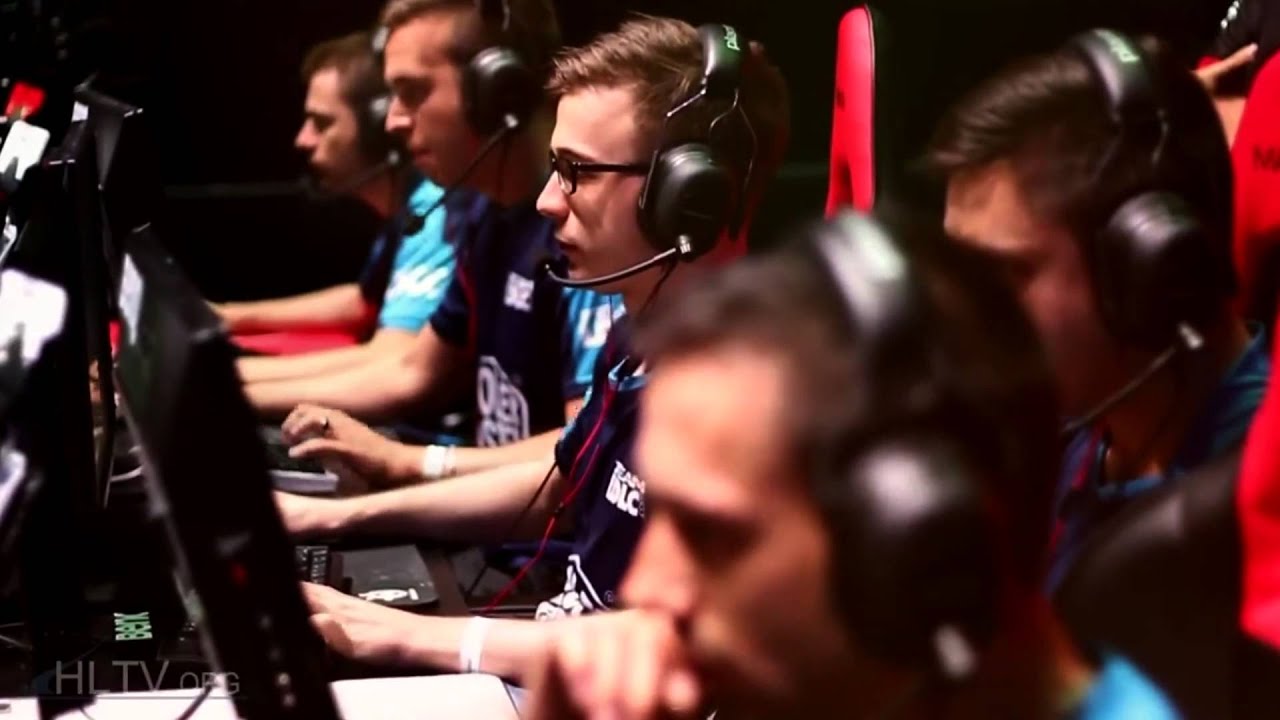
Electronic Sports (E-Sports) is composed of a competitive game on a video game or bias arguably competitive gaming, professional gaming, and cybersport. Types of video games are most commonly associated with E-Sports adaah real-time strategy (RTS), First-Person Shooter (FPS), a Massively-Multiplayer Online Games (MMOG), and Race. Game played competitively at amateur level, semi-professional and professional, and some games have organized competition in the form of leagues and tournaments. Events such as Major League Gaming (MLG), The International, World Cyber Games (WCG), and Dreamhack provide both streaming games and cash prizes to the winners in the tournament were held.

After holding DINUS INSIDE on 3-5 September 2012 Udinus yesterday held a bazaar titled DINUS EXPO. Some booths from UDINUS student organizations, such as DOSCOM, DNCC, DINUS SOCCER, THEATER KAPLINK enliven the event. However, due to the event space is too narrow happen incredible density of many students jostling.

UDINUS (University of Semarang Nuswantoro Dian) is located at Jl. I Nakula No. 5-11 Semarang. Previous UDINUS simply a computer course last place with the idea of Mr. Edi Norsasongko in 1994 was converted into a College of Informatics and Computer Management (STMIK).

UDINUS itself has five faculties, namely:

- Faculty of Economics and Business

- Faculty of Humanities

- Faculty of Computer Science

- Faculty of Health

- Faculty of Engineering


And at this moment UDINUS is developing a program of international cooperation with various universities both within and outside the country.


iG pull ahead in the best of five grand finals, taking the first game in under 30 minutes. Na`Vi, a team who traditionally recover after one loss, will look to come back strong in game two.


There was action right from the get go with iG claiming first blood before the creeps spawned on Shadow Shaman. Both teams were passive during the first day phase before iG unleashed havoc when night hit. There was heavy tower aggression during the first night phase with towers falling across the map for Na`Vi.

Dendi's Queen of Pain blew two Sonic Waves during two crucial team fights giving iG a further advantage in the game with the Roshan falling and the Aegis on Templar Assassin at 14 minutes. iG were slowly able to claim middle barracks at 23 minutes and taking the second Roshan shortly after, Na`Vi called GG at 28 minutes with a kill score of 9-23.


Similar to how game one went, Broodmother was picked off three times to Chen ganks and a ton of Sentry Wards. Chen also made an impact at the mid lane harassing Templar Assassin with a wildkin's tornado. Naga went around the map ganking and Na`Vi was able to pull ahead with efficient Teleport responses to Night Stalker's gank in the first night phase.

The turning point came during the subsequent fights where Song of the Siren into Vacuum combinations led to team wipes by iG and a subsequent top barracks claimed at a mere 14 minutes. At such a large deficit, Na`Vi pushed into bottom barracks at 18 minutes, and iG forfeited game two when they realized they couldn't defend against the siege.


The Disruptor pick did not pay off for Na`Vi in the early game, and this was further compounded by iG's clever use of the Syllabear to help Dark Seer get a good start early on at bot lane. There were only two kills in the first 12 minutes although Lone Druid was soon getting his Relic.

Stream onlookers soon saw Na`Vi being unable to handle the Glimpse from Disruptor, with many teamfights being turned around by a Glimpse which sent out one Na`Vi hero from the fight every game. iG patiently took towers and kills as the gold graph escalated tremendously in favor of the Chinese team.

After picking up the second Roshan, a Glimpse which caught Dragon Knight off guard allowed iG into Na`Vi's base at mid and with the melee barracks claimed, Na`Vi forfeited the game at 38 minutes with a score of 2-20.


Both teams went all out in the fourth game, with iG opting for a Keepter of the Light to counter the push on Na`Vi's lineup. The Ukrainian team, on the other hand, went with Nyx Assassin in a bid to catch iG by suprise. The early game was very quiet and kills only came onto the board when the respective solo mids (Templar Assassin and Rubick joined the fights). The Vacuum and Ravage was too much for Na`Vi to handle and the kill score was 12-4 in iG's favor at 18 minutes.

Na`Vi's hope seemed to be pinned on Lone Druid but with iG controlling the map and allowing their three carries to farm up, the gold lead was in iG's favor even though Lone Druid had the highest GPM. The score was 17-11 at 36 minutes and Na`Vi seemed to make a comeback.

However, the Chinese powerhouse was too smart to give their lead away. Only opting to fight whenever Ravage was up, and with Chuan's Tidehunter making sure that Rubick could never get in range to steal his Ravage, iG turtled up to 47 minutes and with the icing on the cake being a Refresher's Orb on Tidehunter, a last push into top barracks at 50 minutes was the final straw.

Na`Vi lost the fight 4-1 and the championship 1-3. iG have the million dollars.

Final standings The International 2012:
1. China iG ($1,000,000)
2. Ukraine Na`Vi ($250,000)
3. China LGD ($150,000)
4. China DK ($80,000)
5. Singapore Zenith ($35,000)
5. China EHOME ($35,000)
7. China TongFu ($25,000)
7. Malaysia Orange ($25,000)
9. Sweden CLG
9. United States compLexity
9. United States Team EG
9. Ukraine Darer
13. Europe mTw
13. Germany mousesports
13. Russia Moscow 5
13. Australia absolute Legends

Source :
http://gosugamers.net/dota2/news/20975-ig-win-the-million-dollars-at-the-international